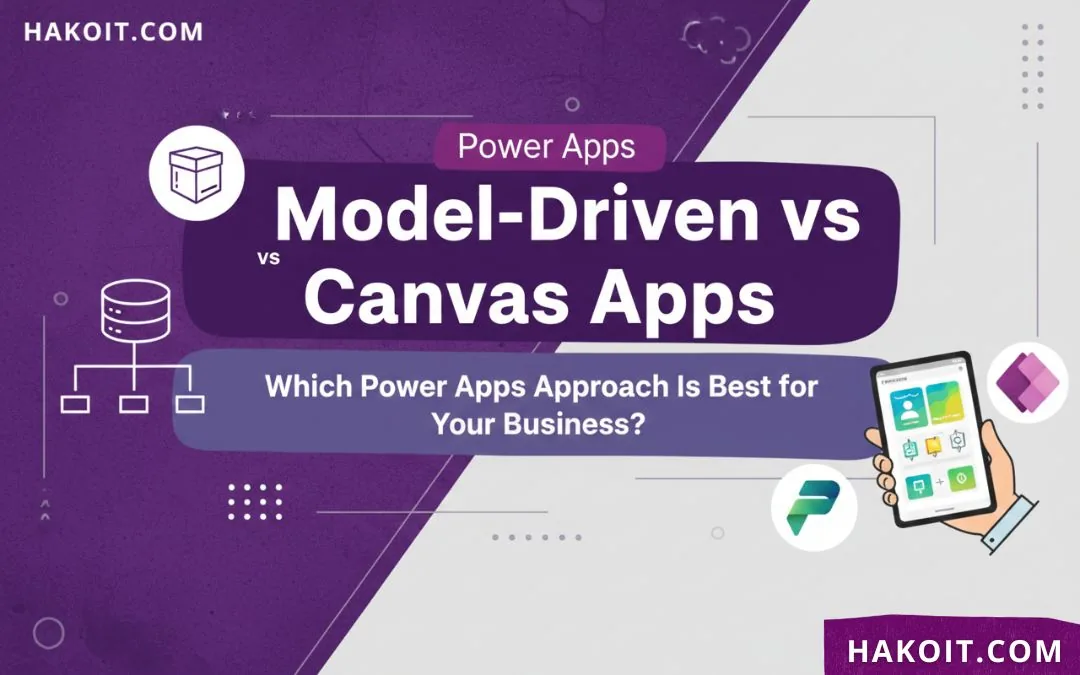
When organizations adopt Microsoft Power Apps at scale, the impact can be dramatic – studies show that professional developers cut build time by 50% after moving to Power Apps Premium, largely through smart use of canvas and model-driven apps. Choosing between these two approaches is one of the most important decisions you make when designing a solution. In this guide, we explain model driven vs canvas apps simple business terms so you can choose the right approach for each scenario.
Key Takeaways
| Question | Answer & Useful Resources |
|---|---|
| What is the core difference between model-driven and canvas apps? | Canvas apps start from a blank canvas where we design every screen and control; model-driven apps start from the data model in Dataverse and generate the UI automatically. For a broader intro to Power Apps, see What is Power Apps? |
| When should we choose canvas apps? | We choose canvas apps when pixel-perfect UI, mobile-first layouts, or highly customized experiences are the priority. If you are new to building apps, start with the guide Getting Started with Power Apps. |
| When are model-driven apps the better option? | Model-driven apps are ideal when our scenario is data-centric, built on Dataverse, and requires strong governance, complex relationships, and standardized forms. This fits well within the broader Microsoft Power Platform strategy. |
| How do canvas and model-driven apps support business processes like inventory? | A model-driven app can manage core inventory data and processes, while a canvas app provides tailored mobile experiences like barcode scanning. See practical patterns in Power Apps for Inventory Management. |
| Are there security differences between the two types? | Both rely heavily on the same platform security (Dataverse, environments, DLP). However, model-driven apps more naturally align with role-based Dataverse security, while canvas apps require extra attention to connectors and permissions. For details, review Power Apps Security Best Practices. |
| Can we use both canvas and model-driven together? | Yes. We can embed canvas experiences in model-driven apps via custom pages, giving us the structure of model-driven with the flexibility of canvas. To see how mixed patterns appear in real projects, explore Power Apps Examples & Use Cases. |
| How do automation and other tools fit in? | Whether we use canvas or model-driven, we typically pair apps with flows and analytics. Learn how apps relate to flows in Power Apps vs Power Automate, and extend insight with Power BI reporting. |
Understanding Model-Driven vs Canvas Apps in Power Apps
Within Microsoft Power Apps, we mainly work with two app types: canvas apps and model-driven apps. Both sit inside the same platform, share many connectors, and can use the same Dataverse data, but they differ in how we design, govern, and maintain solutions.
Canvas apps give us free-form control over each pixel on the screen, similar to designing a slide deck. Model-driven apps, by contrast, start from the Dataverse data model – tables, relationships, and business rules – and generate responsive, data-centric experiences automatically. Understanding that distinction is the foundation of making the right architectural choices.

Canvas Apps Explained: Flexible, UI-First Experiences
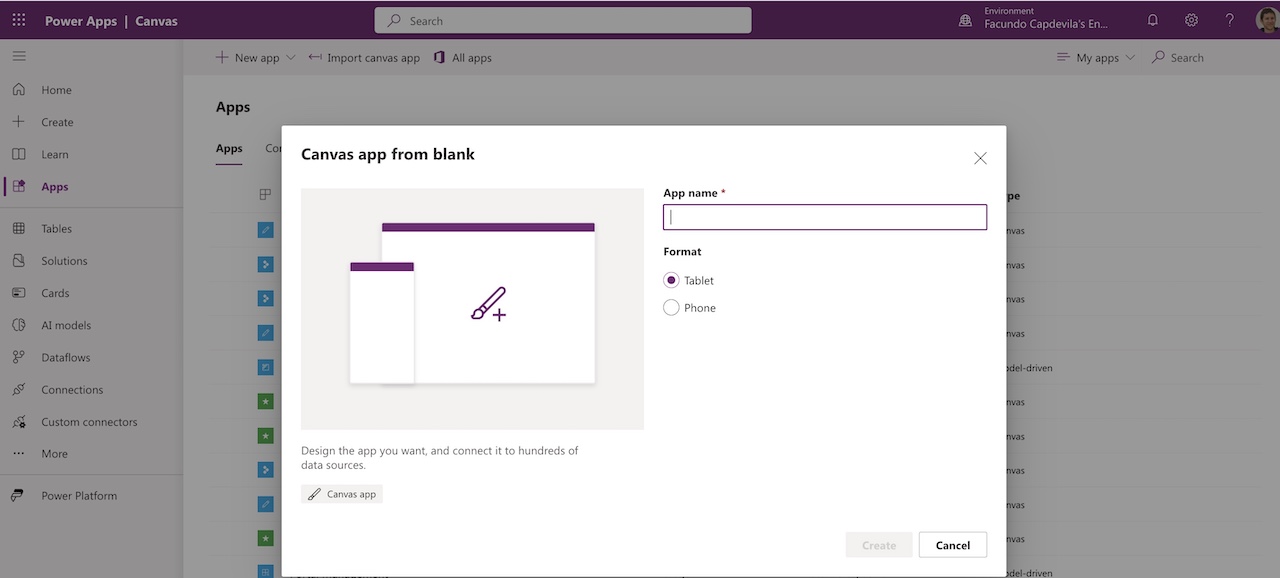
Canvas apps are UI-first. We drag and drop controls in Power Apps Studio, connect them to data sources, and drive logic with Power Fx formulas. This approach suits scenarios where user experience, branding, and specific workflows matter more than complex data models.
A canvas app can connect to many data sources – SharePoint, Excel, SQL, Dataverse, and more – and use both standard and custom connectors. With over 180+ connectors available, we can integrate line-of-business systems into tailored mobile or tablet apps quickly.

Key Strengths of Canvas Apps
- Pixel-level control over layout, branding, and responsive behavior.
- Ability to pull from multiple data sources in a single screen.
- Ideal for task-based, mobile-friendly applications like inspections or approvals.
From our experience, canvas apps work especially well as front-ends for field workers, sales teams, and scenarios where we need camera access, GPS, signatures, or barcode scanning embedded into streamlined interfaces.

Model-Driven Apps Explained: Data-First, Structured Solutions
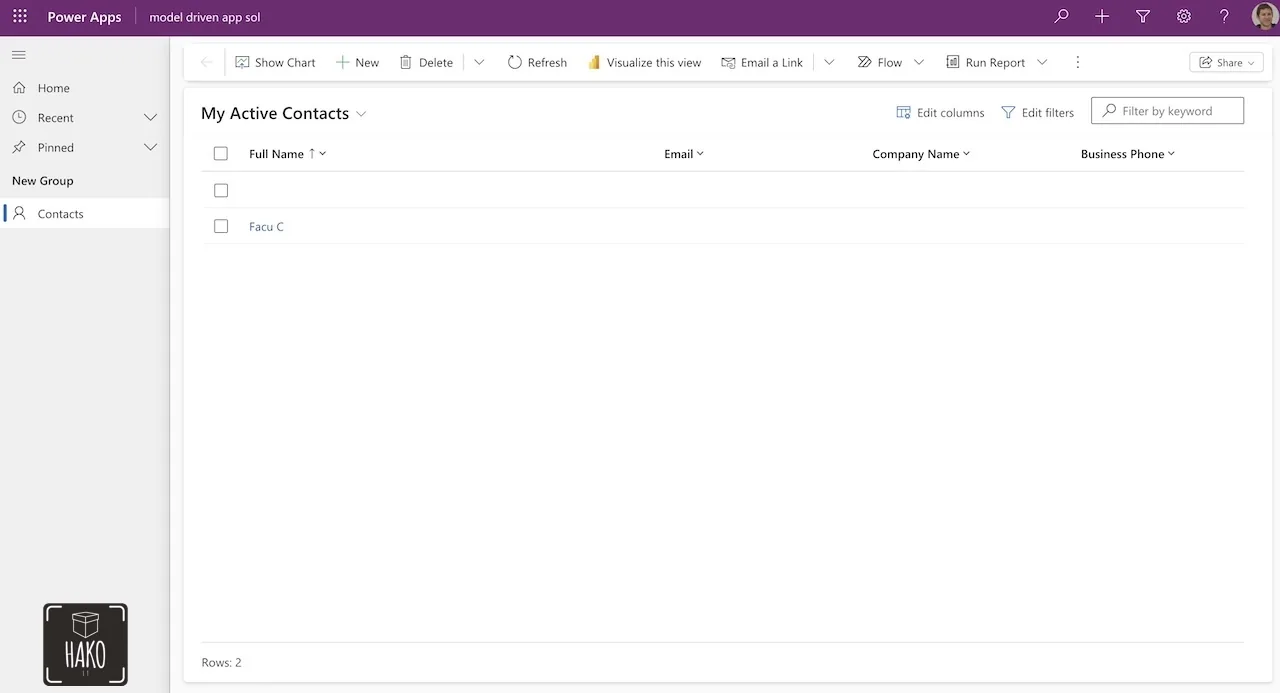
Model-driven apps are data-first. Instead of manually designing each screen, we define the data model in Dataverse – tables, relationships, forms, views, business rules – and Power Apps generates a responsive, standardized user interface around this model. According to Microsoft guidance, model-driven apps are data-centric and built on Dataverse; the UI is generated automatically from the data structure and relationships.
This makes model-driven apps particularly effective for enterprise scenarios where governance, repeatable patterns, and complex business processes are required. Examples include CRM, case management, customer service, quality management, and regulatory workflows.
Key Strengths of Model-Driven Apps
- Tight alignment with Dataverse security roles, business rules, and auditing.
- Automatic generation of forms, views, and dashboards from the data model.
- Consistent, responsive UI across web and mobile with minimal layout work.
We usually recommend model-driven apps when the organization already invests in Dataverse as a central business data store, or when governance and standardized experiences across departments are non-negotiable.
Canvas vs Model-Driven: Side-by-Side Comparison
To decide between model driven vs canvas apps, we look at how they compare across design, data, governance, and user experience. Both can coexist in the same environment, but each emphasizes different strengths.
| Aspect | Canvas Apps | Model-Driven Apps |
|---|---|---|
| Design Approach | UI-first, drag-and-drop screens, full layout control. | Data-first, UI generated from Dataverse data model. |
| Primary Data | Can use many data sources (SharePoint, SQL, Excel, Dataverse, etc.). | Built on Dataverse only. |
| Best For | Task-based apps, custom UI, mobile-first scenarios. | Complex business processes, CRM-style, heavily relational data. |
| Governance | Relies on environment DLP, app-level permissions, and source-specific security. | Inherits Dataverse security roles, field-level permissions, auditing. |
| Development Speed | Fast for smaller, well-bounded apps; complexity grows with screens and formulas. | Fast for data-heavy solutions once model is defined; slower initial modeling. |
| Offline/Mobile | Strong support for responsive layouts and device capabilities. | Responsive UI, but less pixel-level control over layout. |
| Hybrid Capabilities | Can be embedded as custom pages inside model-driven apps. | Can host canvas pages for custom UI, combining both worlds. |
In general, guidance from Microsoft states that canvas apps are recommended when we need customized UI, and model-driven apps when we have data-driven, complex business logic and governance requirements. Many mature environments deliberately use both, depending on the process.


Real-World Use Case: Inventory Management – Canvas vs Model-Driven
Inventory management is a good illustration of model driven vs canvas apps working together. A model-driven app can hold the core product, warehouse, transaction, and supplier data inside Dataverse, enforcing business rules, approvals, and audit trails.
Alongside that, a canvas app can offer a streamlined mobile UI for warehouse staff to count stock, scan barcodes, or receive deliveries. Both apps read and write to the same Dataverse tables, but each targets a different user experience and device context.

Inventory Use Case Comparison Table
| Feature | Canvas App Example | Model-Driven App Example |
|---|---|---|
| User | Warehouse operator with mobile device. | Inventory manager or controller. |
| Main Task | Scan items, adjust stock counts, capture photos. | Define products, manage suppliers, approve adjustments. |
| UI Needs | Big buttons, simple navigation, offline-friendly. | Rich forms, lists, charts, advanced views. |
| Data Model | Reads/writes to Dataverse or alternative sources. | Dataverse is the core data store, with relational tables. |
| Governance | Focus on DLP policies and permissions per connector. | Uses Dataverse security roles and field-level controls. |
In our projects, this hybrid approach avoids forcing a single app type to serve both casual mobile users and data-heavy managers. Each group gets the experience that fits their job while sharing the same source of truth.
Security & Governance: Implications for Canvas and Model-Driven
Security considerations differ slightly between model driven vs canvas apps, even though both rely on Power Platform environments, DLP policies, and Azure AD authentication. Canvas apps introduce more flexibility – and therefore more risk – through multiple connectors and direct integration with external systems.
For canvas apps, Microsoft recommends limiting the number of connectors to about 10 and connection references to 20 to avoid performance and manageability issues. Model-driven apps, anchored in Dataverse, focus more on role-based access, row-level security, and audit logs within a single data platform.

Security Considerations Comparison Table
| Security Aspect | Canvas Apps | Model-Driven Apps |
|---|---|---|
| Authentication | Microsoft Entra ID; per-connector credentials and permissions. | Microsoft Entra ID; Dataverse user accounts and roles. |
| Data Loss Prevention | Critical due to multiple connectors to cloud/external services. | Still important, but most data flows stay within Dataverse. |
| RBAC | Implemented via app sharing and source permissions. | Implemented deeply via Dataverse roles, teams, and business units. |
| Audit & Compliance | Depends on each data source; Dataverse audit helps where used. | Built-in Dataverse auditing, field-level security, and logging. |
We design our architecture so that highly regulated, sensitive processes lean into model-driven apps and Dataverse, while canvas apps handle less sensitive, user-experience-heavy workflows or act as fronts to secure back-end data.
Development Experience: Power Fx, Functions, and Data Modeling
From a maker’s perspective, model driven vs canvas apps feel different day to day. Canvas app development revolves around Power Fx formulas, UI configuration, and connector management. Model-driven work focuses more on schema design, Dataverse configuration, and business logic such as flows and business rules.

Canvas apps give makers immediate visual feedback: drag a control, write a formula, see it behave. Model-driven apps require more up-front thinking about tables, relationships, and form layouts, but once these are in place, the platform handles much of the UI automation.

Development Trade-Offs
- Canvas apps: More formulas to manage as the app grows; we rely heavily on good naming, documentation, and componentization.
- Model-driven apps: Less code in the UI, more focus on data model quality and reusable Dataverse configuration.
A balanced portfolio uses canvas apps for tailored experiences and model-driven apps for repeatable, data-heavy domains, minimizing duplicated logic and maximizing maintainability.
AI and Copilot: How AI Changes Canvas vs Model-Driven Decisions
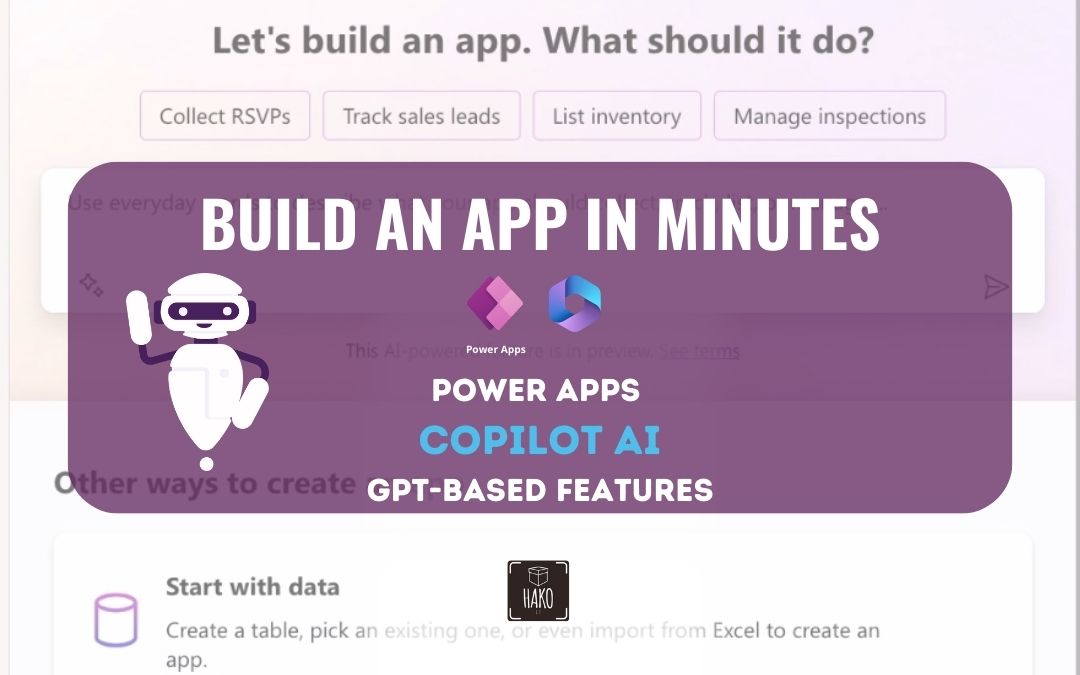
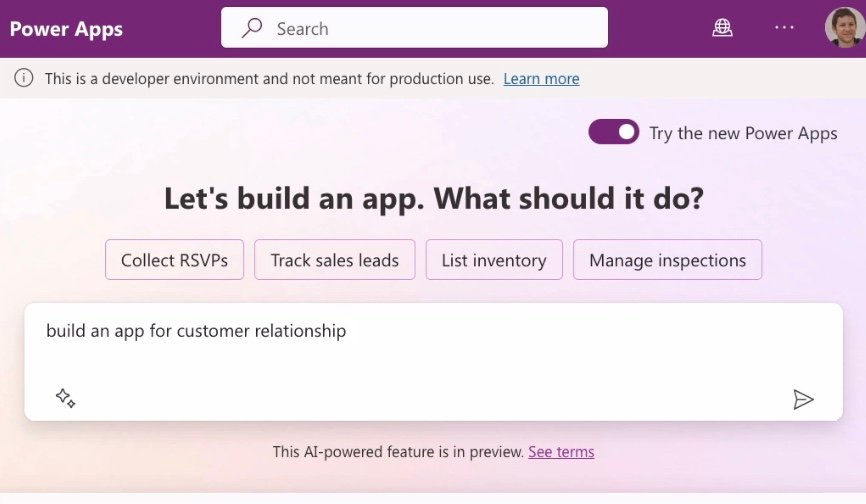
Power Apps Copilot introduces AI into both canvas and model-driven scenarios. For canvas apps, Copilot helps generate screens, formulas, and even Dataverse tables from natural language descriptions. We can describe an app for tracking issues, and Copilot scaffolds the basic layout and data model.
On the model-driven side, Copilot can suggest tables, columns, and relationships for business domains like CRM or ticketing. This reduces the up-front modeling burden and shrinks the gap between idea and functional prototype, regardless of whether we plan to lean more on canvas or model-driven in the final solution.
Impact of Copilot on App Type Choice
- Copilot makes it easier for non-developers to start with canvas apps by generating initial screens and formulas.
- For model-driven apps, AI speeds up data modeling and form configuration.
- Hybrid solutions benefit as Copilot can propose Dataverse structures used by both app types.
In practice, AI does not replace the need to decide between model driven vs canvas apps; instead, it accelerates experimentation, so we can quickly validate which approach better suits a particular process.
Hybrid Architectures: Combining Model-Driven and Canvas Apps
The Power Apps platform supports hybrid architectures, where we embed a canvas app inside a model-driven app using custom pages. This gives us the best of both: structured data management and complex rules from model-driven, plus bespoke UI and device capabilities from canvas.
For example, a model-driven case management app might host a canvas custom page for capturing photos and annotations in the field. All data still lands in Dataverse, but the user experience is optimized for each task.

Performance, Scale, and Long-Term Efficiency
At scale, model driven vs canvas apps decisions affect both performance and long-term efficiency. Power apps guidance notes that careful management of connectors, formulas, and screen complexity is important in canvas apps to avoid slow load times. Model-driven apps rely on Dataverse performance, indexing, and table design.
Independent research shows that organizations can save 250 hours per user on high-impact use cases, with more than 1,000,000 hours in cumulative efficiencies by year three when they standardize on Power Apps Premium. These gains come from choosing the right app type for each scenario and reusing components, data models, and flows across solutions.
Long-Term Efficiency Comparison Table
| Factor | Canvas Apps | Model-Driven Apps |
|---|---|---|
| Reuse | Reusable components, templates, and formulas; more manual governance. | Reuse of tables, forms, views, and business rules across solutions. |
| Scaling Teams | Citizen developers can build quickly; requires standards to avoid sprawl. | More controlled environment, better for central IT-managed domains. |
| Maintenance | Changes often require updates across multiple screens and formulas. | Changes at data model or form level propagate across the app. |
We advise clients to treat canvas and model-driven apps as complementary tools in a long-term architecture, aligning each with the level of control, governance, and UX customization required.

Key Takeaways Summary Table
| Key Decision Area | Canvas Apps – Best When… | Model-Driven Apps – Best When… |
|---|---|---|
| UI & Experience | You need custom layouts, branding, and device-optimized workflows. | You want standardized, responsive UI generated from data structures. |
| Data & Governance | Data is spread across multiple sources or governance is lighter. | Dataverse is the primary store and governance is strict. |
| Complexity | Scenario is relatively bounded and task-focused. | Scenario involves complex, relational data and business rules. |
| Users | Front-line, field, or mobile users needing streamlined tasks. | Back-office, management, or specialist roles managing lifecycles. |
| Strategy | You prioritize UX differentiation and quick prototypes. | You prioritize consistency, compliance, and central data models. |
FAQs About Model Driven vs Canvas Apps
What is the main difference between model driven vs canvas apps?
Model-driven apps are data-first and process-driven. Canvas apps are design-first and highly flexible.
Can I use both model-driven and canvas apps together?
Yes. You can embed canvas apps inside model-driven apps for the best of both worlds.
Which is better for beginners?
Canvas apps feel easier at first. Model-driven apps require more planning but scale better.
Do model-driven apps require Dataverse?
Yes, Dataverse is mandatory for model-driven apps.
Are canvas apps less secure?
Not inherently, but they require careful configuration to avoid data exposure.
Which option does Hako IT recommend?
We recommend the option that fits your business goals—not a one-size-fits-all answer.
Conclusion
Choosing between model driven vs canvas apps is not about deciding which is “better” overall, but which is better for each specific business process. Canvas apps give us freedom to design highly customized, mobile-friendly experiences, while model-driven apps provide structured, data-centric solutions aligned with Dataverse governance.
As we plan our Power Apps roadmap, we consider data complexity, governance needs, user experience requirements, and long-term maintenance. In many successful environments, both app types coexist, supported by AI-powered Copilot, Power Automate flows, and Power BI analytics, delivering measurable time savings and strong returns on investment. By matching the app type to the scenario, we build solutions that are not only fast to deliver but also sustainable at scale.
Free Power Apps Tutorials and Guides:
Do you want to continue learning about Power Apps? Below is a simple and easy beginner’s tutorial for creating an application with a SharePoint or Excel list:
Getting Started with Power Apps | Complete Step-by-Step Guide
20 Power Apps Examples 📱 and Use Cases
How to Use Power Apps for Your Projects | Beginner’s Guide
Create an APP with EXCEL in 5 Steps| Microsoft Power Apps
👉 Contact us for more information or schedule a meeting.